Experience Pure
Samples, Unlock Creativity
A lightning-fast Splice client for producers seeking the ultimate workflow.
Drop the bloat, embrace a seamless experience, and never lose your inspiration.
Why Choose Reso?
Five core advantages tailored for music producers
Seamless Drag & Drop
Skip the extra clicks. Spot the perfect waveform and drag it straight into your DAW. Inspiration is fleeting—save every second.
Lightning Fast Search
Instant suggestions and precision filtering by instrument, genre, BPM, and key. 3M+ samples organized instantly.
Visual Excellence
Hover to hear and see waveforms instantly. Switch between waterfall and pagination in a stunning dark mode optimized for high-res displays.
True Offline Mode
Toggle "Downloaded Only" to use Reso as your private sample manager. Create anywhere, even without Wi-Fi.
Quick Bookmarking
Save favorites with one click. Enjoy full filtering across your entire curated collection.
Native Performance
Tiny footprint, instant startup, zero fan noise. Built purely for demanding workflows, keeping you focused on the music.
Interface Preview
Clean, modern design built for workflow efficiency
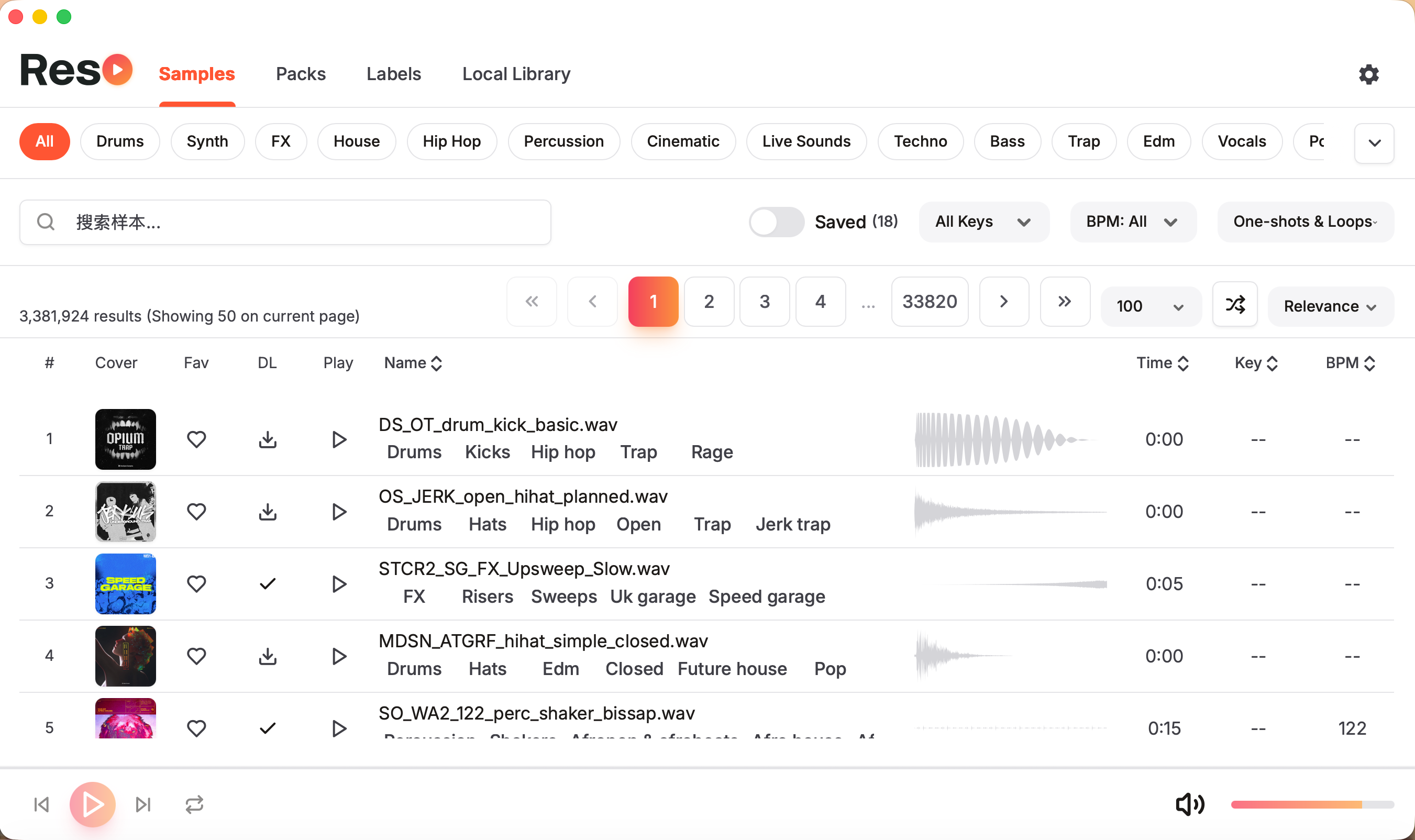
Sample Browsing
Real-time previews & precision filtering
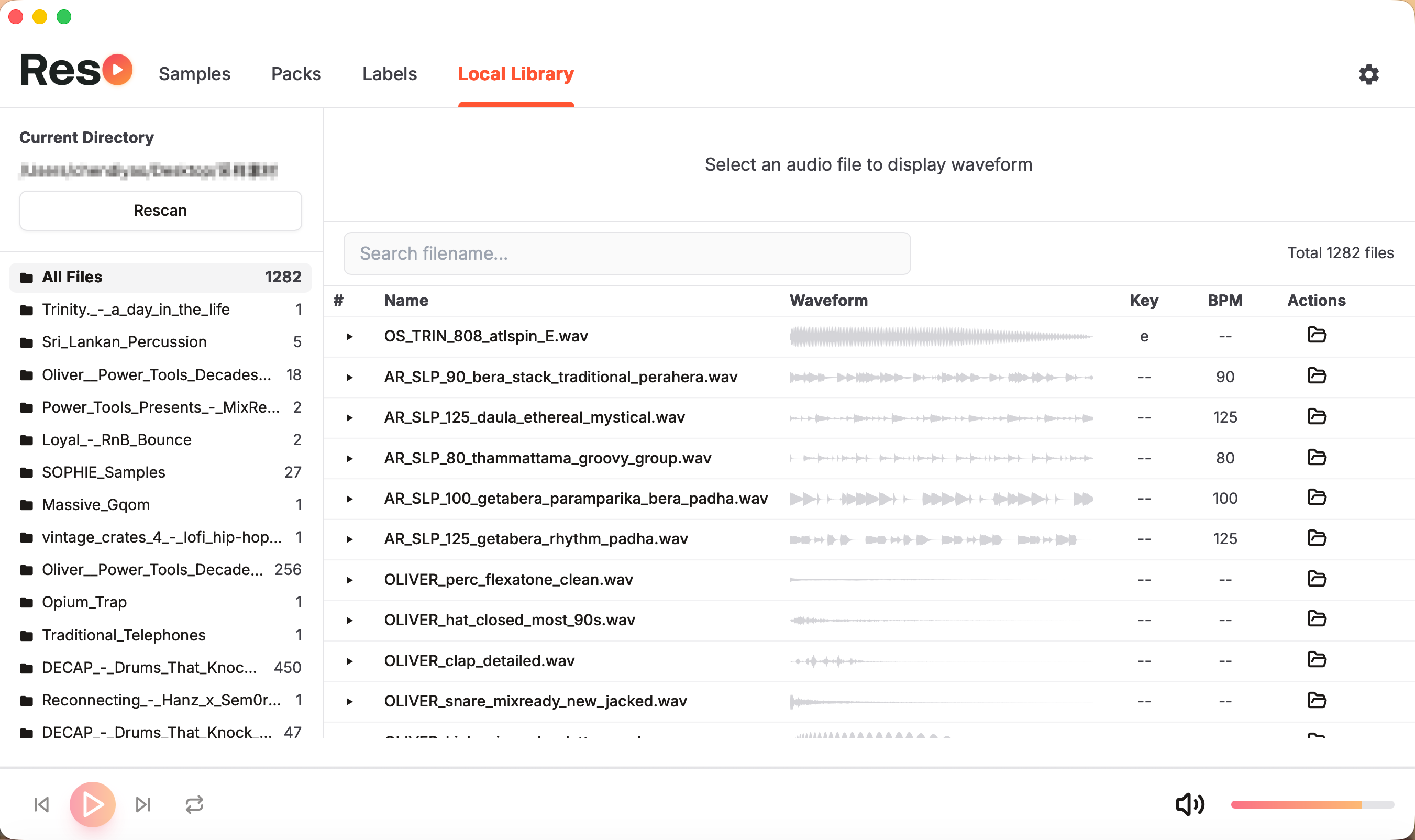
Local Assets
Offline access & native drag-and-drop
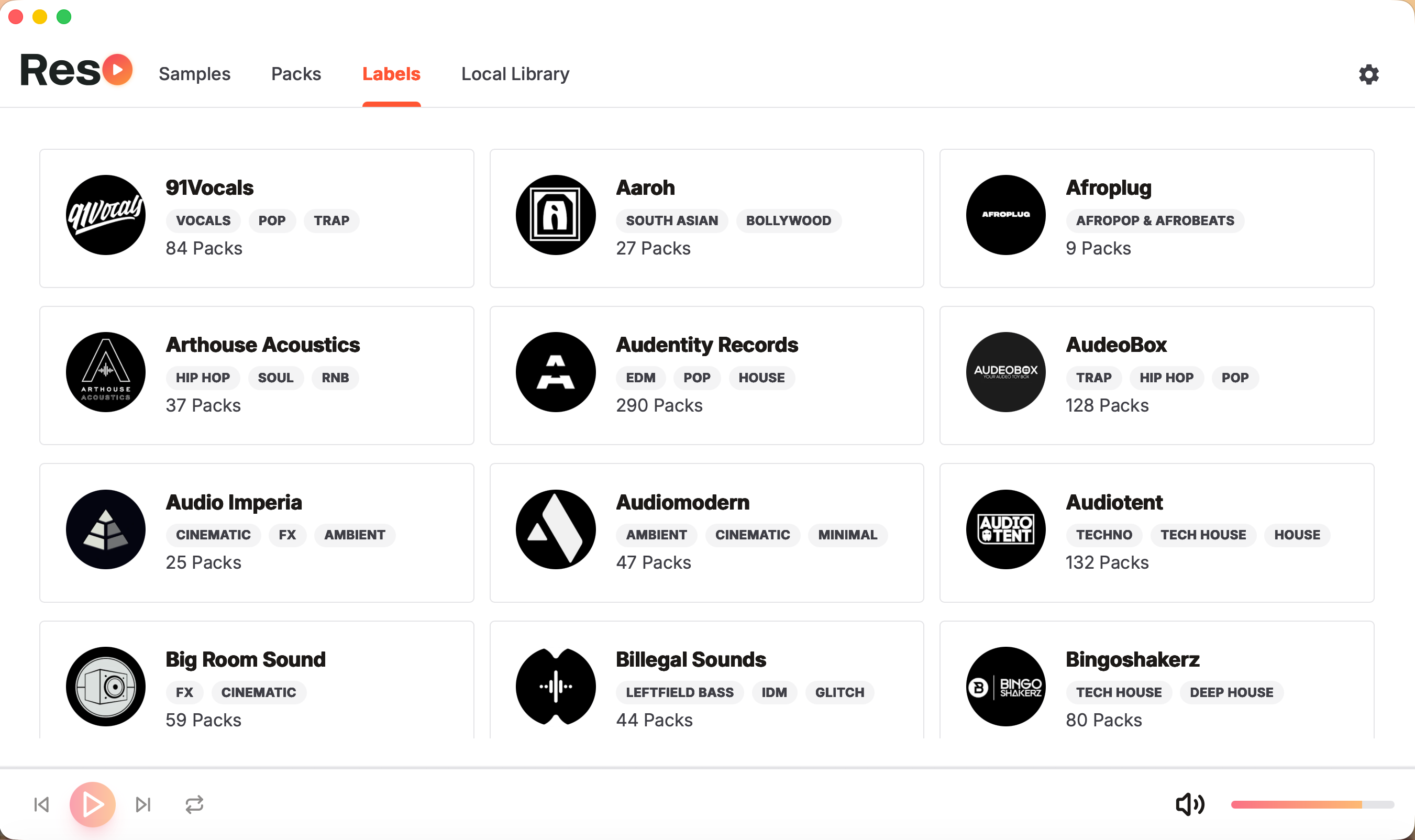
Labels & Genres
Browse catalogs from top record labels
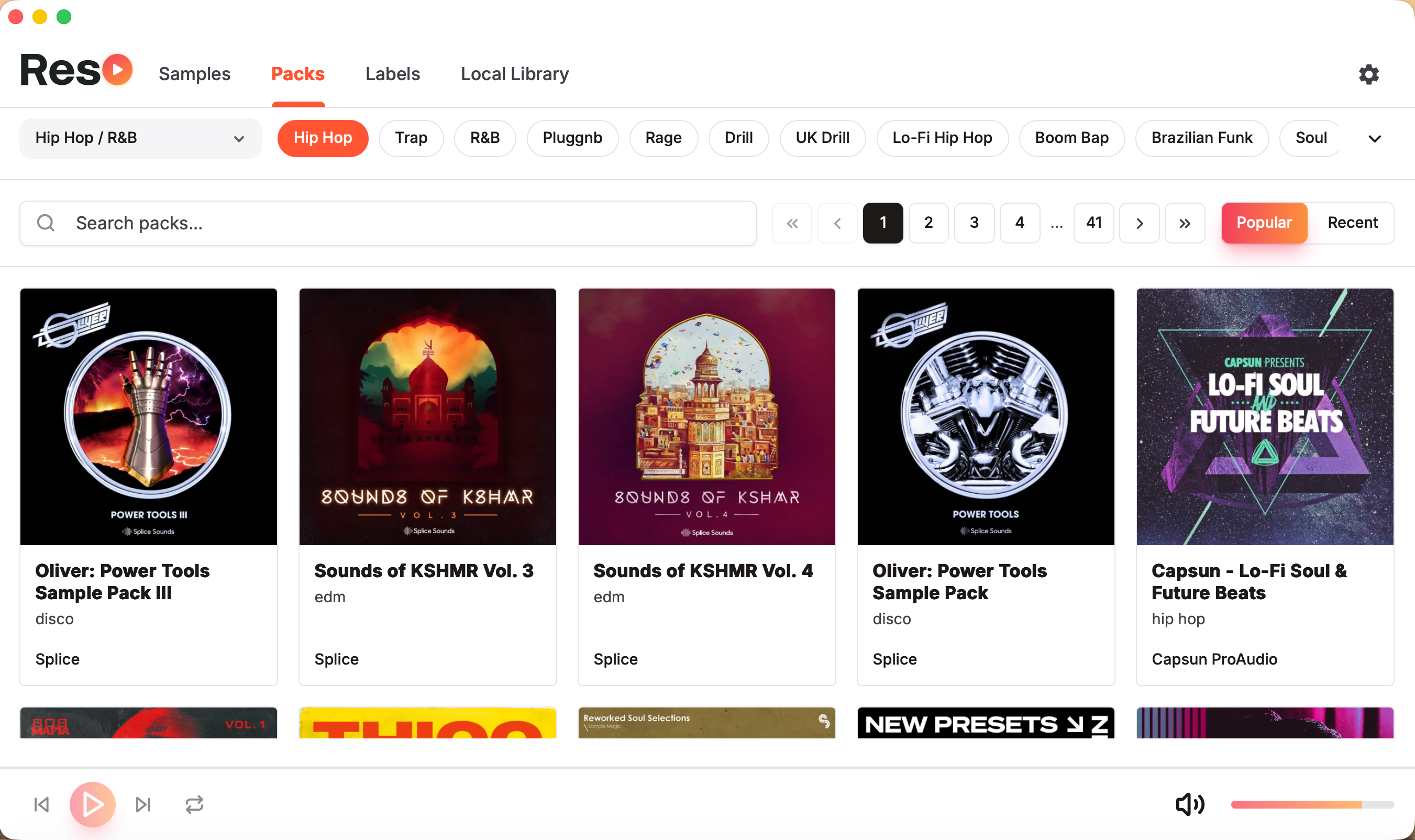
Pack Collections
Explore the entire Splice library
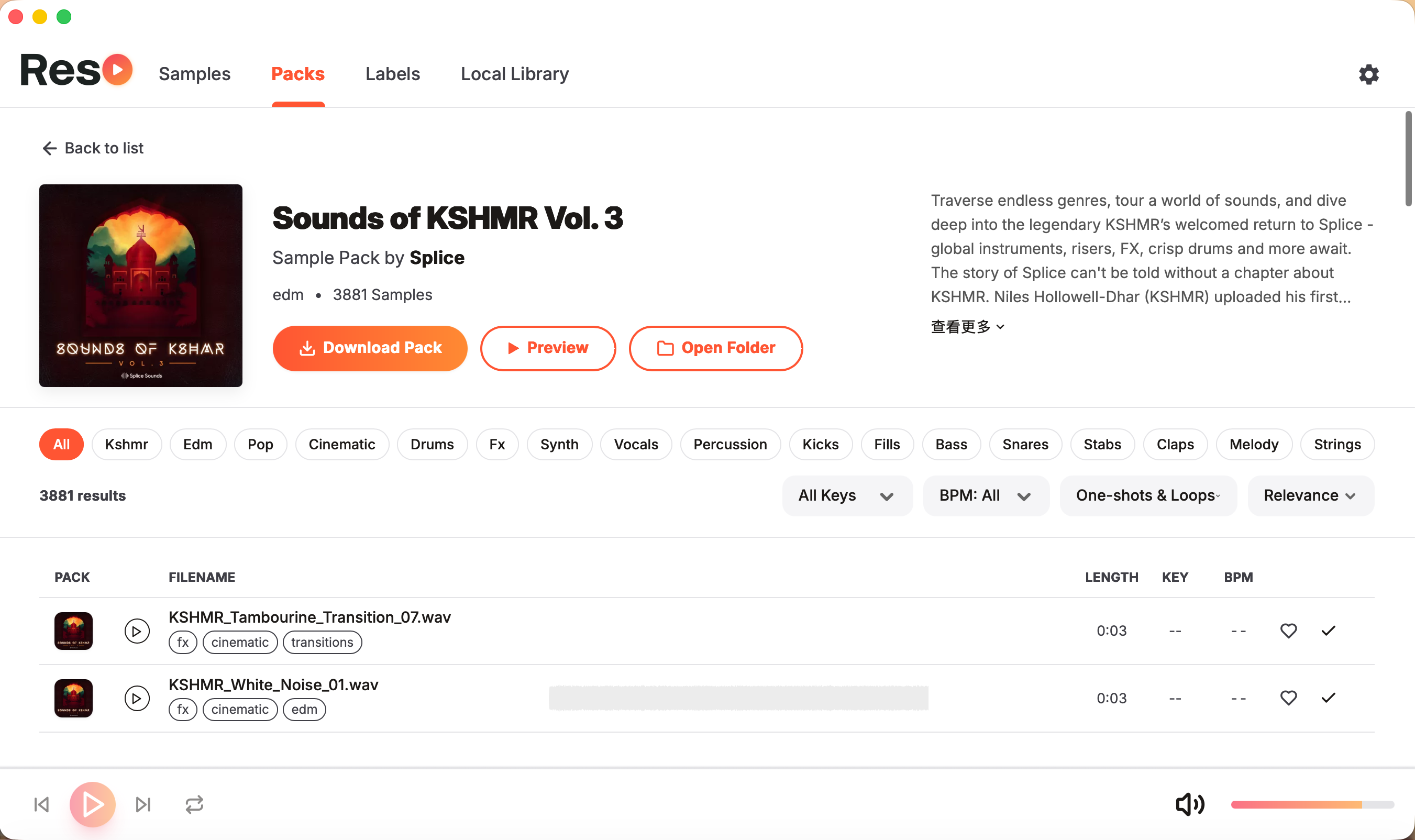
Pack Details
Deep dive into packs with 1-click batch downloads
Sample Library
3M+ Splice sounds, unlimited free downloads
- Filter by genre, key, BPM, and type
- Instant waveform preview on hover
- Native drag-and-drop to any DAW
Pack Collections
The entire Splice catalog
- Instantly audition pack contents
- 1-click batch downloads
- Detailed pack overviews
Record Labels
Browse by legendary sound design labels
- Categorized label catalogs
- Discover new genres and vibes
- Find premium, curated samples
Local Management
Your personal sound library
- Organize downloaded audio
- 100% functional offline mode
- Lightning fast local search
Changelog
Continuous optimization, constant evolution
v1.2.5
Latest- Added billingual support (English & Chinese)
v1.2.4
- Optimized homepage loading speed
- Fixed pack count display issue for labels
v1.2.3
- Added option to download audio only, skipping metadata
- Optimized loading speed
- Optimized pack page zoom display
v1.2.2
- Support drag-and-drop for packs, labels, and local assets
- Optimized search box, supports text dragging/selection
- Performance optimizations
v1.2.1
- Clicking sample cover directly navigates to pack details
- Search box allows mouse drag text selection
- Capitalized genre tags, performance improvements
v1.2.0
- Refactored UI menu, added pack collections, labels, and local assets
- Optimized performance and refined user experience
- Improved trial mechanism, extended from 15 to 30 minutes
v1.1.0
- Added Favorites 2.0 with full filtering support
- Smooth waterfall loading, infinite scroll support
- Optimized list rendering, local data storage
Quick Start Guide
Three steps to begin your creative journey
Installation
macOS: Drag into Applications. If blocked, click "Open Anyway" in Privacy & Security settings.
Windows: Run the installer and follow the wizard.
Path Setup
On first launch, set your download folder. Reso handles the rest automatically.
Activation
Reso includes a 30-minute full-featured trial.
Ready for more? Copy your Machine Code and contact support to unlock lifetime access.
FAQ
Common questions, answered
Why can't I drag and drop samples?
Does Reso require an internet connection?
Which DAWs are supported?
How do I purchase a lifetime license?
How is Reso different from the official Splice app?
Start creating today
Experience the ultimate workflow with a 30-minute free trial